May 25, 2017 | Blog, iOS, iPhone, Products, video
Osmo Mobile turns your smartphone into a smart motion camera, making every moment you shoot look smooth, professional and ready to share.
May 24, 2017 | alert, Article, badge, banner, Blog, customization, iOS, iPad, iPhone, Notification Center, notifications, Restricted Content, Solution
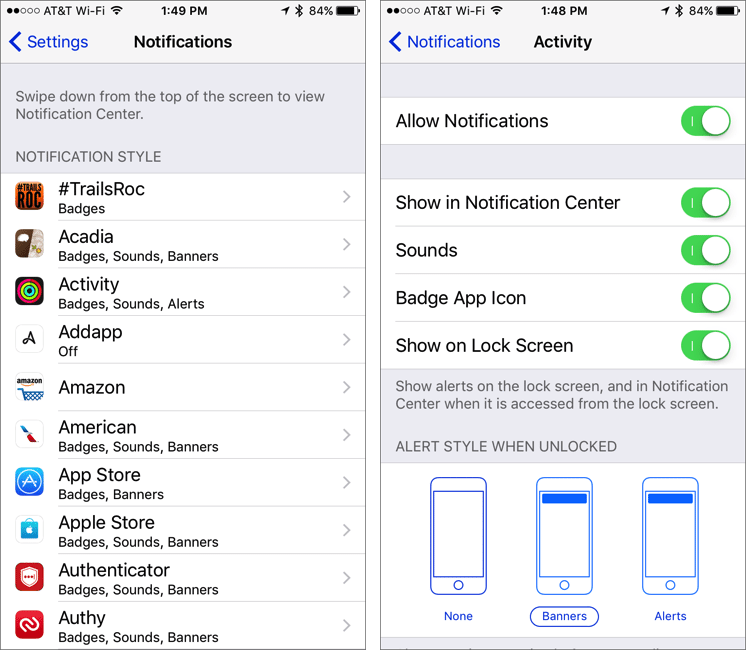
Is every app on your iPhone or iPad constantly nagging you with notifications? It’s like a three-year-old saying “Look at me!” every few minutes, but on the plus side, a little work in the Settings app can quiet your device. And it won’t whine about being sent to...
May 23, 2017 | Blog, Mac, modifier key, productivity, Restricted Content, screen, Tip, zoom
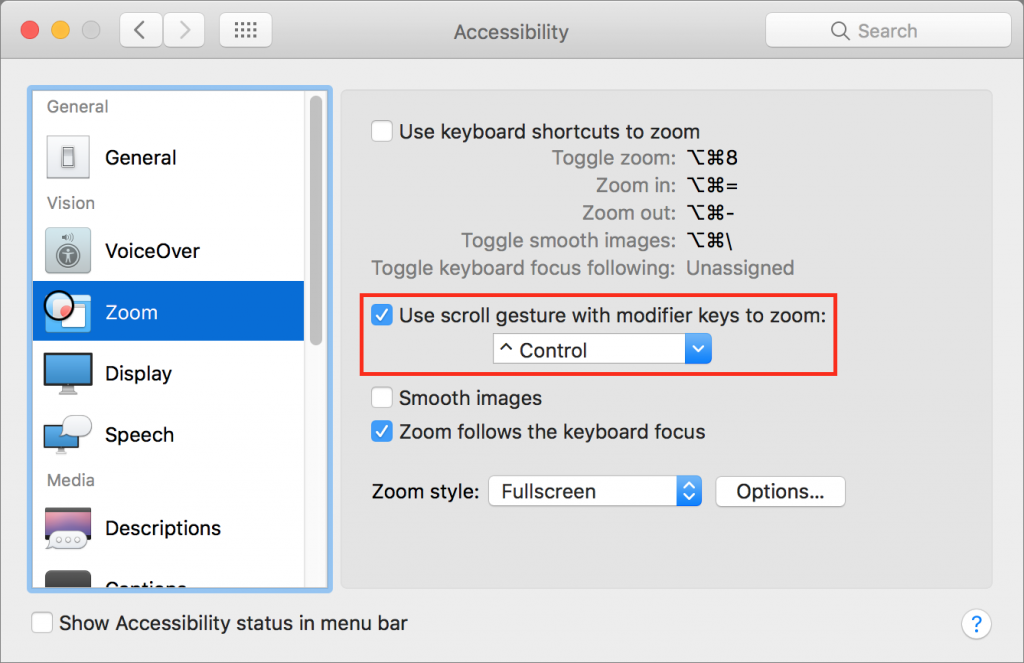
No matter how good your eyes are, at some point there will be something on your Mac’s screen that’s just too small to see well. With just a minute of setup, you can take advantage of a macOS feature that lets you zoom the screen right where the pointer is. Open System...
May 22, 2017 | Article, Blog, customization, keyboard shortcut, Mac, productivity, Restricted Content, Save dialog, Solution
There’s nothing sexy about the Save dialog in Mac apps. It’s not pretty, you can’t tweet from it, and Apple hasn’t changed anything about it in years. But every time you create a new document in a Mac app, you have to save it. Once in the Save dialog, you name your...
May 20, 2017 | Article, backup, Blog, bootable duplicate, Explainer, Mac, maintenance, off-site backup, Restricted Content, versioned backup
“To go forward, you must back up.” Sure, it was an advertising tagline for backup software from the 1990s, but it’s still true. When it comes to losing data, the question is not “if,” but “when.” If you store valuable information—whether personal or professional—on...
May 19, 2017 | Apple Pay, Blog, iOS, iPhone, Quick Tip, Tip, Tips
When it’s an option at a cash register, Apple Pay is faster, easier, and safer than using a credit card. But accessing it from the Wallet app is way too slow! Here’s the trick to pull up Apple Pay quickly. In Settings > Wallet & Apple Pay, under “Allow Access...