Sep 11, 2017 | APFS, Article, ASMC, ASMC Archive, Blog, Explainer, iOS, iOS 10, Mac, macOS, maintenance, performance, Restricted Content, security
A major change in macOS 10.13 High Sierra is the switch to Apple’s new Apple File System, or APFS. With any luck, you’ll barely notice the change, just as almost no one did earlier this year when Apple updated millions of iOS devices to APFS with iOS 10.3. But let’s...
Sep 10, 2017 | Blog, delete, keyboard shortcut, Mac, Photos, productivity, Restricted Content, Tip
It’s a lot easier to take photos than it is to delete them, particularly in Photos on the Mac. You’ve done the dance: select a photo, press Delete, and press Return when Photos asks if you want to delete the photo. But you can sidestep that annoying dialog with this...
Sep 9, 2017 | Apple Pros, Apple Watch, APros Archive, Article, ASMC, ASMC Archive, Blog, High Sierra, iOS, iOS 11, Mac, macOS, Restricted Content, Solution, tvOS, watchOS, watchOS 4
To every thing there is a season, and we’re fast approaching the time when Apple harvests the fruit of the last year and releases new versions of macOS, iOS, watchOS, and tvOS. There are no major surprises here, since Apple announced the new versions in June and...
Sep 8, 2017 | App Store, Apple Pros, APros Archive, Blog, High Sierra, Mac, macOS, maintenance, Restricted Content, Sierra, Tip, upgrade
Assuming Apple continues its previous practices, once macOS 10.13 High Sierra comes out, it will become impossible to download 10.12 Sierra for the first time. That could be awkward if you want to upgrade an older Mac to Sierra at any point after High Sierra ships,...
Sep 5, 2017 | battery, Blog, Mac, MacBook, MacBook Air, MacBook Pro, performance, power, Restricted Content, Tip
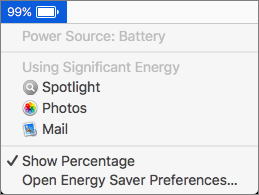
If your MacBook’s battery charge is dropping faster than you think is reasonable, it’s time to look for the culprit. Click the Battery icon in the menu bar and wait a few seconds for the Battery menu to display power information, including which apps are using...
Aug 21, 2017 | Article, Blog, contextual menu, Mac, menu, productivity, Restricted Content, shortcut menu, Solution
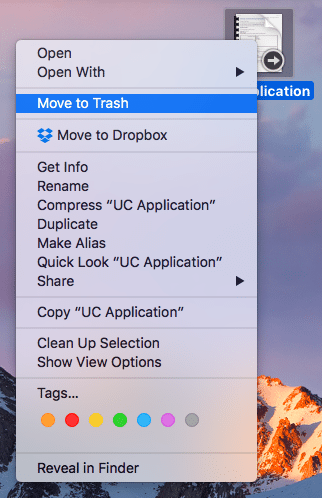
It’s easy to find and open the Mac’s standard menus—all you do is click a word or icon. But did you know about the Mac’s hidden menus? They contain many useful commands, but the Mac’s user interface provides no clue to their existence. Here’s what you need to know....