Oct 23, 2019 | Blog, Mac, Tip, Touch Bar, Touch ID
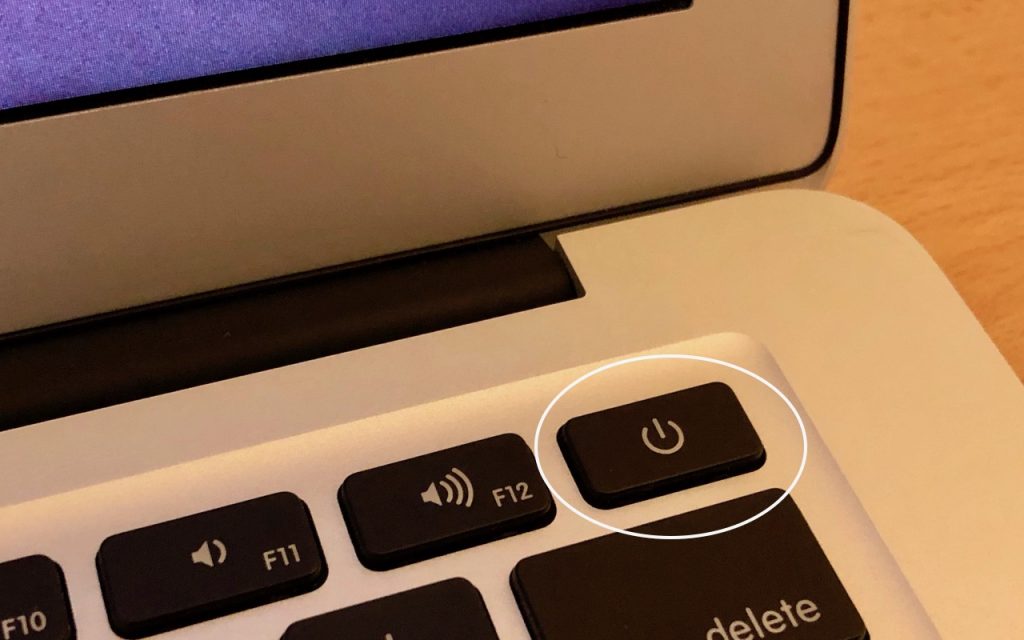
It’s extremely uncommon for a Mac to freeze or crash these days, but it can happen. What should you do if your Mac locks up and becomes completely unresponsive to the mouse and keyboard? The trick is to press and hold the power button until the Mac turns off. Wait 5...
Oct 15, 2019 | 3D Touch, Blog, iOS 13, iPhone, shortcut, Tip
Do you use 3D Touch on your iPhone? From 2015 through 2018, every iPhone from the iPhone 6s through the iPhone XS supported 3D Touch, other than the iPhone SE and iPhone XR. With 3D Touch, you could (sometimes) press a control, and then press a little harder to make...
Jul 11, 2019 | Apple Pros, APros Archive, ASMC, ASMC Archive, Blog, Mac, privacy, Restricted Content, Tip
We’ve all had it happen. “Can I use your Mac for a minute to check my email?” The answer can be “Yes,” but to keep people from poking around on your Mac, have your visitor log in as Guest. To enable the Guest account, go to System Preferences > Users & Groups....
Jul 2, 2019 | Apple Pros, APros Archive, ASMC, ASMC Archive, Blog, iOS 12, iPhone, Restricted Content, Settings, Tip, troubleshooting
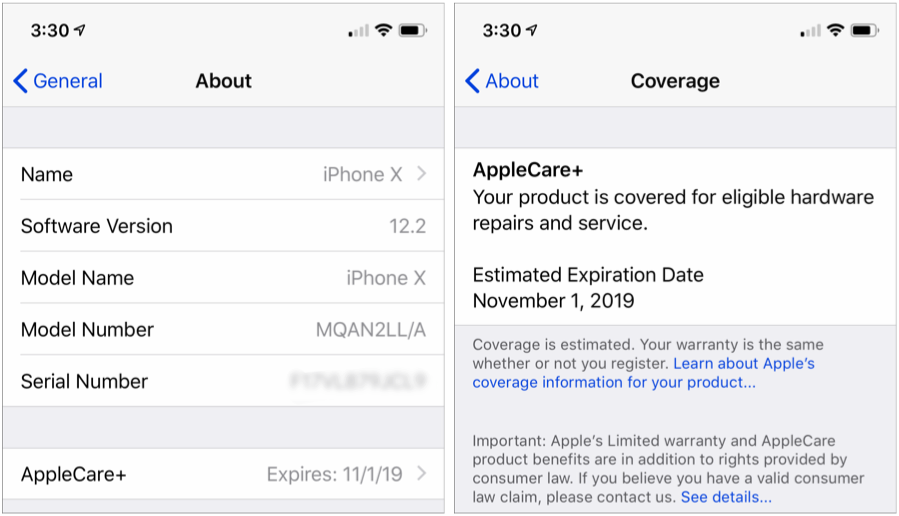
With luck, you should never need to check your iPhone’s or iPad’s warranty status. But bad things do happen to good devices. In iOS 12.2, Apple has just made it easier to figure out if your device is still under warranty or covered by AppleCare+. Go to Settings >...
Jun 5, 2019 | Apple Pros, APros Archive, ASMC, ASMC Archive, Blog, iOS, iPhone, productivity, Restricted Content, Safari, tabs, Tip
Every time you tap a link to open a Web page in Safari on your iPhone or iPad, it automatically opens a new tab. That’s fine until you realize that you have oodles of old tabs open, making it difficult to find any particular tab. To close all your old tabs in one fell...
May 31, 2019 | Apple Pros, APros Archive, ASMC, ASMC Archive, Blog, iCloud Photos, iOS, iPhone, Mac, Photos, Restricted Content, Tip, troubleshooting
iCloud Photos (which Apple previously called iCloud Photo Library) is wonderful when it’s working. Take some photos on your iPhone, and they appear on your Mac and iPad a minute later. Delete unnecessary shots and edit the others on your Mac, and your iPhone and iPad...